
Claude Code windows
Track 5-hour and 7-day Claude Code quota windows without opening a terminal.
 AI Limit
For Claude Code and Codex power users
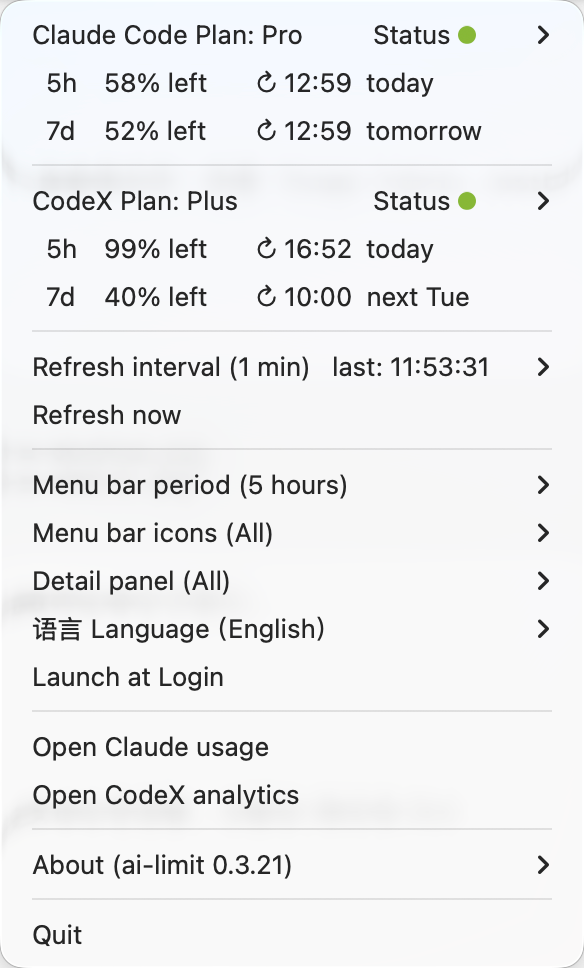
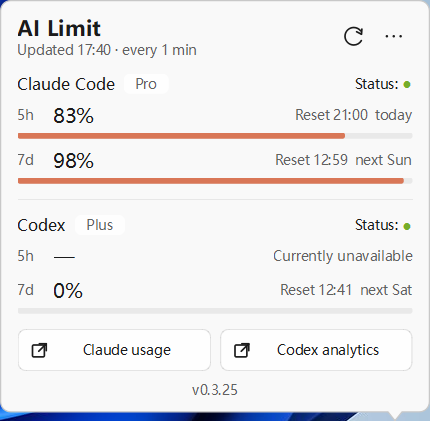
AI Limit keeps Claude Code and Codex quota windows in your macOS menu bar or Windows tray, with a local CLI when you want the details.
Quiet by default
Track 5-hour and 7-day Claude Code quota windows without opening a terminal.
Show Codex limits from the browser session first, with local fallbacks when needed.
Surface selected Claude and OpenAI component status directly in the menu.
Switch between English and Chinese from a clearly labeled menu entry.
AI Limit reads existing local browser sessions and local usage records. It does not provide subscriptions, bypass provider limits, or run a hosted quota service.
Terminal ready
Use the CLI for quick checks, per-model token detail, or a simple fallback when the menu bar or tray app is not running. The same commands work in macOS Terminal and Windows PowerShell.
ai-limit
ai-limit --days 1
ai-limit --detail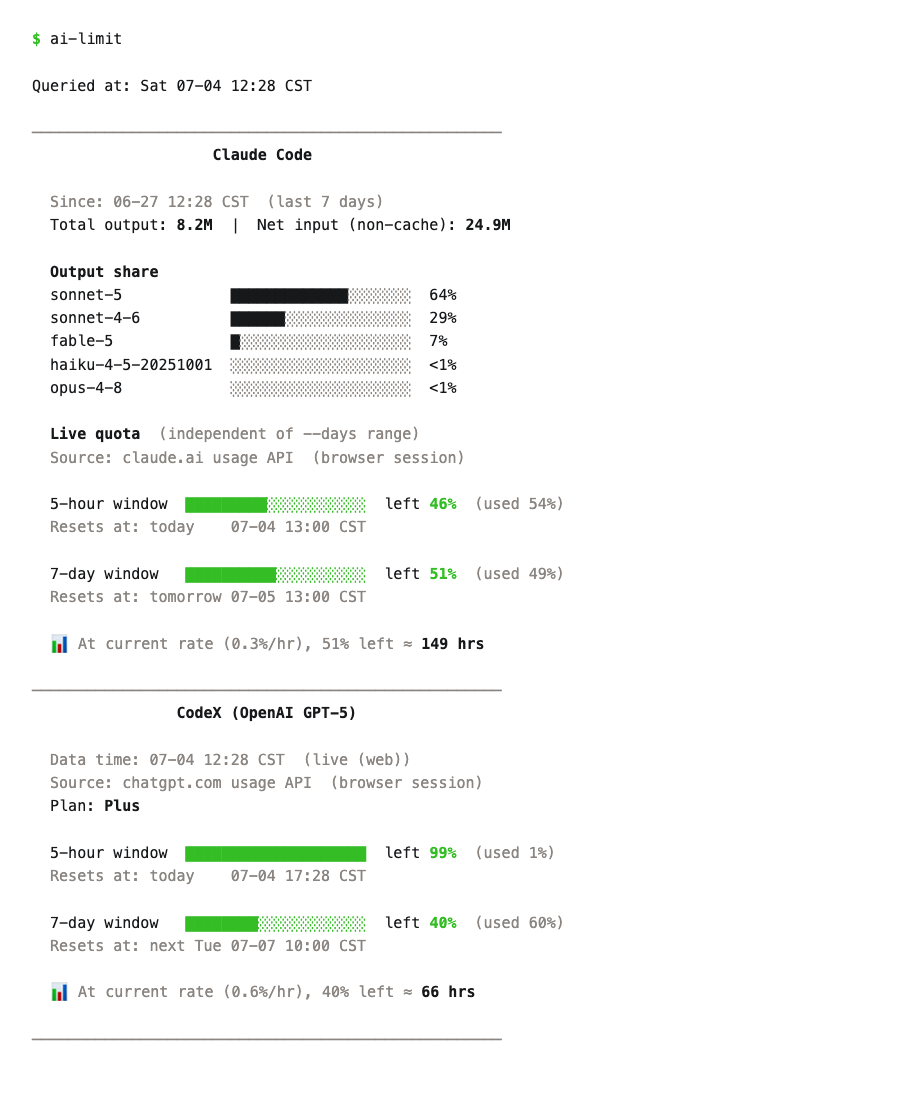
Install
macOS
The button below links straight to the current notarized build.
Drag the app from the DMG into your Applications folder.
Sign in to Claude and ChatGPT in your browser, then refresh when needed.
Windows
The button below links straight to ai-limit-windows-<version>-setup.exe.
No administrator access needed; the visible setup wizard installs for your account.
Sign in to Claude and ChatGPT in Firefox, then refresh when needed.
Requires Windows 11 and Firefox signed in to claude.ai / chatgpt.com. The installer is not yet Authenticode-signed, so Windows may show an Unknown publisher warning.
In short
ai-limit for the last 7 days, ai-limit --days 1 for
today, or ai-limit --detail for per-model token detail.
Practical guides
These short guides explain what AI Limit can read locally, what to expect on each platform, and how to get a reliable usage view before you start a longer coding task.